
PEZM Furniture | NMB Bank Loan Application Guide
Your Easy Path to a Brighter Financial Future
1. Welcome to PEZM's Credit application

Welcome to PEZM Furniture! We're excited to help you achieve your financial goals with our easy and convenient online loan application process. This guide will walk you through every step of using our platform, from applying for a loan to tracking its progress and using our helpful loan calculator.
We’ve designed our online portal with your convenience in mind, making it simple and straightforward to manage your application from anywhere, at any time.
2. Navigating Our Online Platform
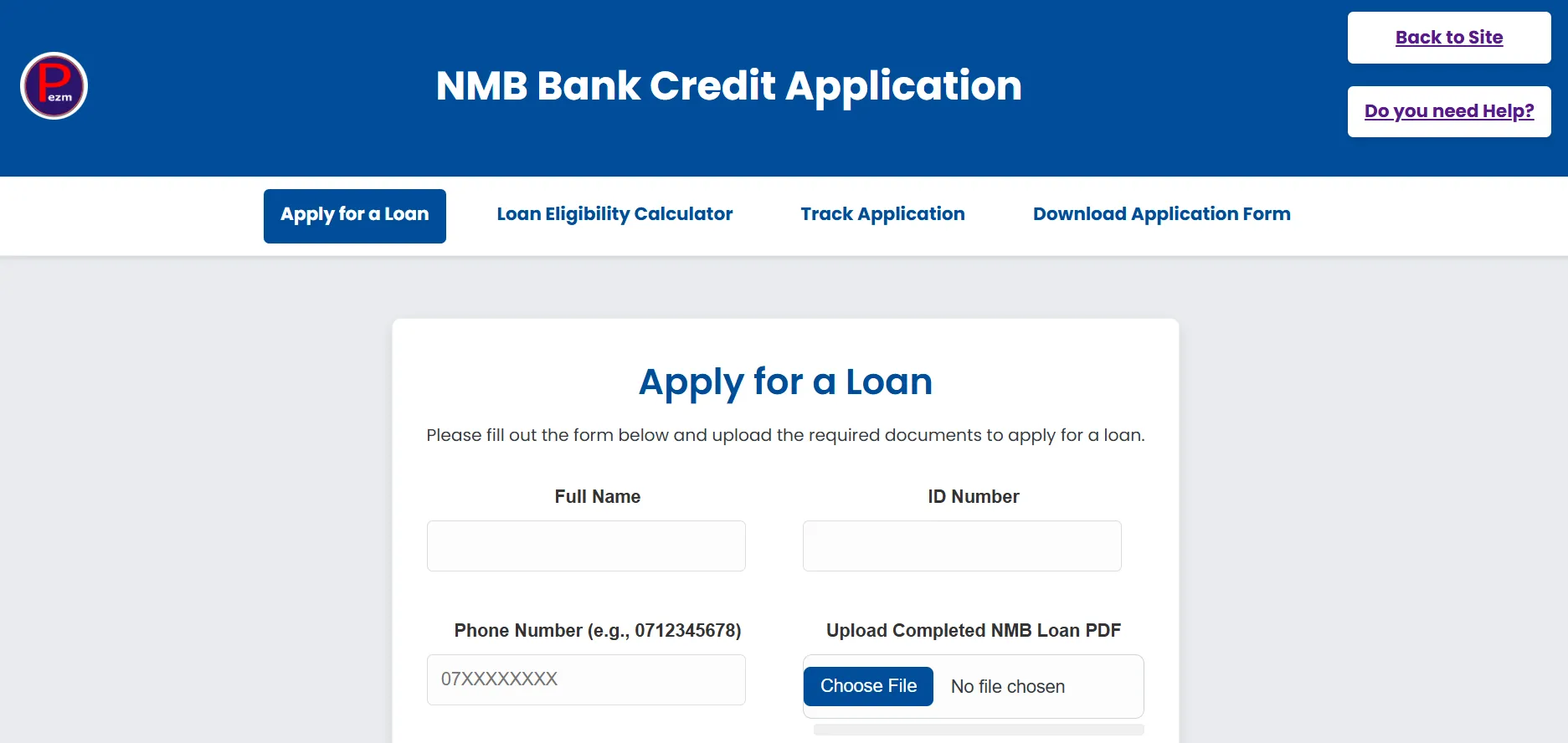
Our online platform is designed for ease of use. Here's a quick overview of how to get around:
Understanding the Menu
At the top of the page, you'll find the following menu options:
- Apply for Loan: This is where you'll start your new loan application directly online.
- Track Application: Use this to check the real-time status of your submitted loan application.
- Loan Calculator: A handy tool to estimate your monthly installments and check your loan eligibility before applying.
- Download Forms: Here, you can download a fillable PDF version of our loan application form if you prefer to complete it offline.
3. Applying for a New Loan
Option 1: Apply Online Recommended
Follow these simple steps to submit your loan application directly through our website.
-
1.
Access the Application Form:
From the navigation menu, click on "Apply for Loan". You will be taken to the "Apply for a New Loan" section.
-
2.
Fill Out Your Details:
Carefully fill in all the required fields in the online form. Please ensure all information is accurate to avoid delays.
-
3.
Submit Your Application:
Review your details and click the "Submit Application" button. A confirmation message will appear.
Option 2: Download and Submit the Fillable PDF Form
If you prefer to fill out your application offline, you can download our fillable PDF form.
-
1.
Download the Form:
Click on "Download Forms" from the navigation menu. Save the fillable PDF to your computer.
-
2.
Fill in the Details:
Open the PDF and fill in all the required fields. Remember to save the completed document.
-
3.
Submit Your Application:
- Email: Attach the saved PDF and other required documents to an email and send it to accounts@pezmfurniture.co.zw.
- In Person: Print the completed PDF and submit it at your nearest PEZM branch.
4. Tracking Your Application
Stay updated on your application's journey with our intuitive tracking system.
The current active stage will be highlighted in bright blue. If your application status is `Declined` or `Cancelled`, the tracker will indicate the point at which that decision was made.
Editing & Cancelling
Important: You can only edit or cancel an application when its status is "Submitted".
5. Using the Loan Calculator
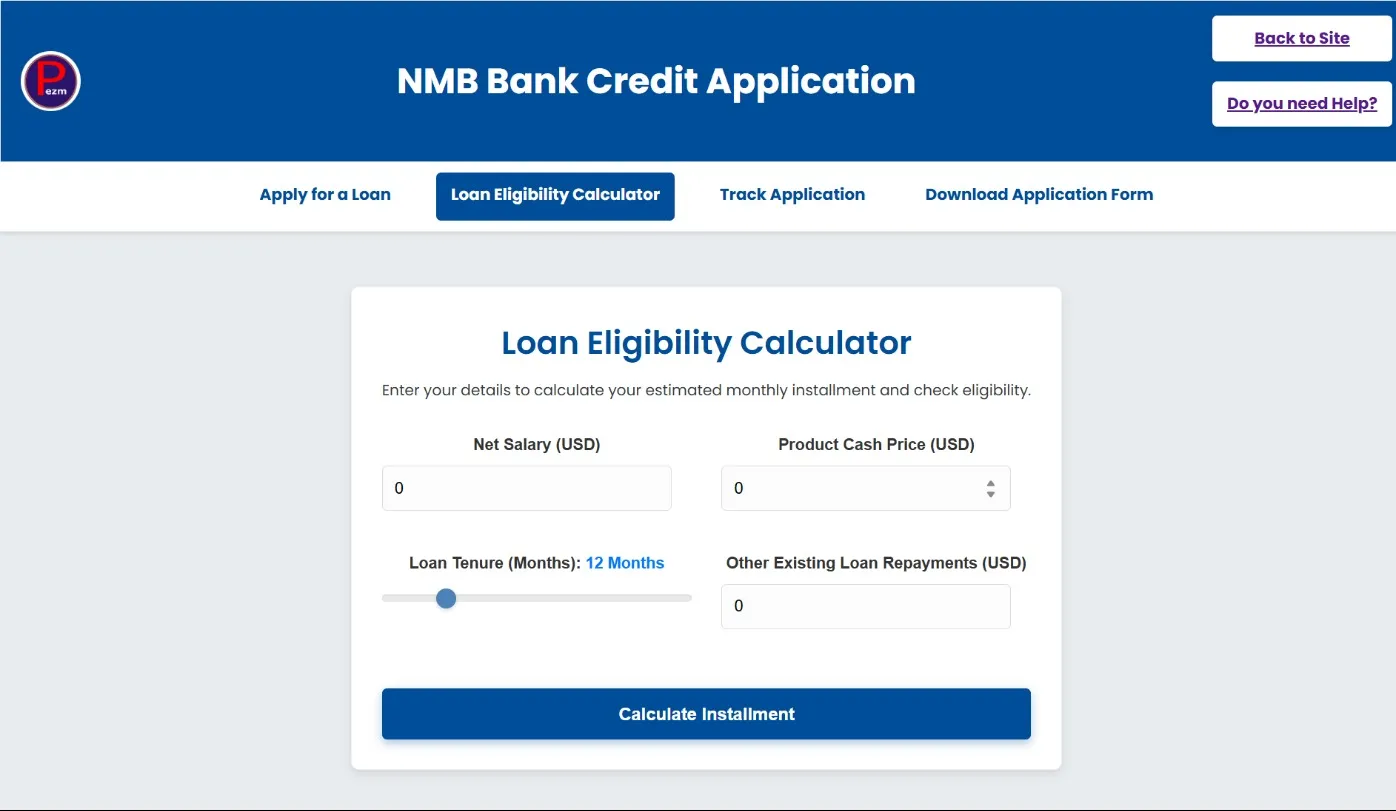
Our Loan Calculator helps you quickly estimate your potential monthly installment and check your eligibility based on your financial information.
- Access the calculator via the navigation bar.
- Input your financial details like Net Salary, Loan Tenure, etc.
- Click "Calculate" to instantly view your estimated installment and eligibility.
6. Frequently Asked Questions (FAQs)
Q1: How long does it take for an application to be approved?
A: Processing times vary, but you can track your application status in real-time on our portal.
Q2: Can I apply for multiple loans at once?
A: We typically process one loan application at a time per customer to ensure thorough assessment.
Q3: Why can't I cancel my application when it's "Under Review"?
A: Once an application enters the "Under Review" stage, it's undergoing critical assessment and processing by our team, making online cancellation unavailable.
Q4: What if I forget my ID Number or Phone Number for tracking?
A: The system requires both for security. If you've forgotten, please contact our customer service directly for assistance.
7. Need Further Assistance?
If you have any questions or require further assistance, please don't hesitate to contact our friendly support team.
Thank you for choosing Pezm in collaboration with NMB Bank for your financial needs!